

Insight Bench for WordPress
Your free Insight Score inside WordPress: SEO, speed and security, and AI visibility, with checks that can only be done from inside WordPress and fixes that open the exact screen where each one is fixed.
Get the free plugin on WordPress.orgGet your free Insight Score
What it does
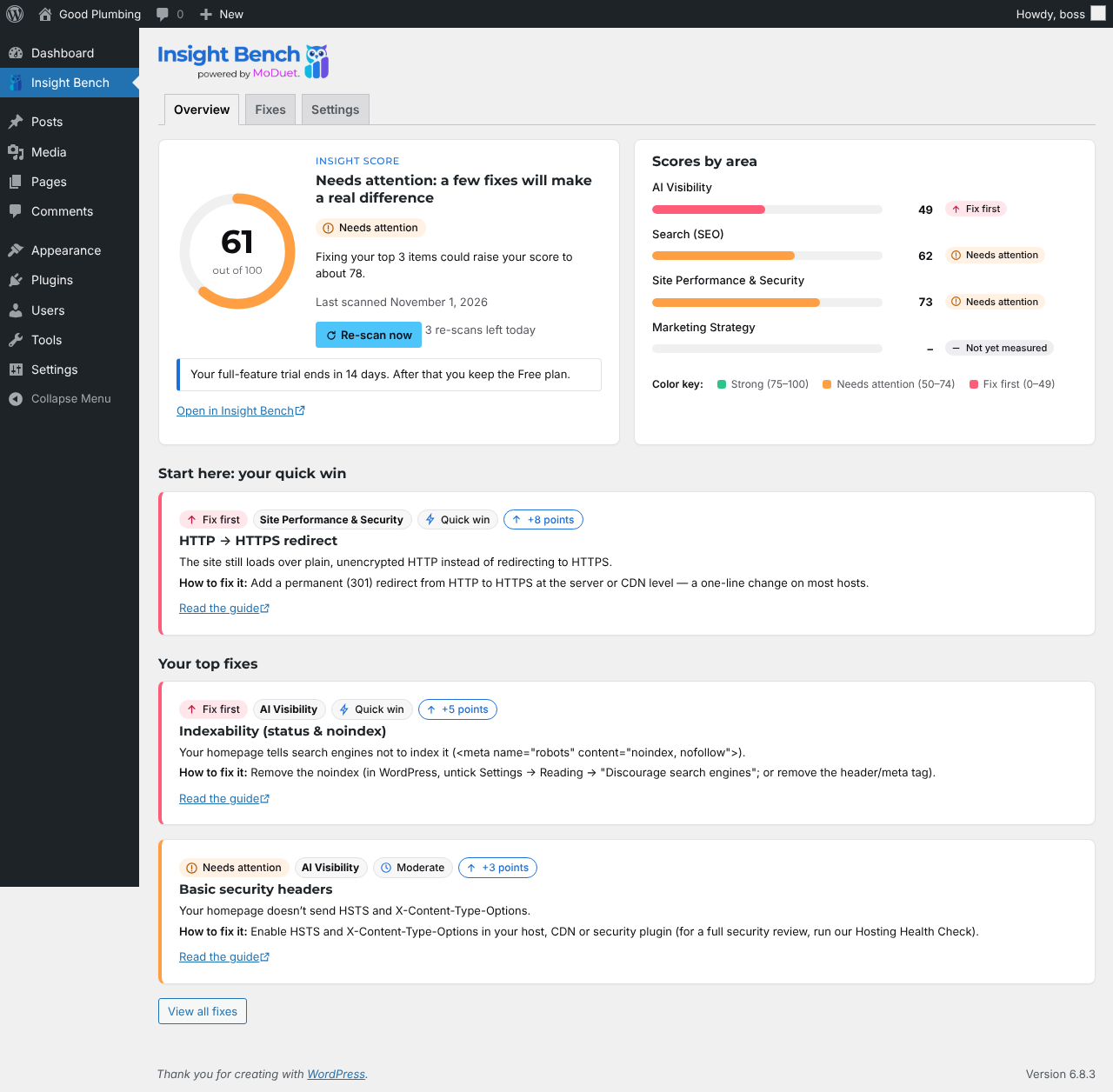
- Your Insight Score in wp-admin. One number out of 100, with scores for Search (SEO), Site Performance & Security, AI Visibility and Marketing Strategy, what changed since your last scan, and your top fixes ranked by how many points each is worth.
- Verified WordPress checks. Outdated WordPress, PHP, plugins and themes; plugins nobody maintains any more; unused plugins; errors shown to visitors; the file editor; XML-RPC; a user named “admin”; and settings that hide your site from Google.
- Fix in WordPress. Every fix opens the exact WordPress screen where it’s fixed. Missing image alt text and meta descriptions get an assisted editor (saved in Yoast SEO, Rank Math, All in One SEO, SEOPress or The SEO Framework).
- You stay in control. Nothing changes without your click and confirmation.
- Light. Nothing loads on your public site.
- Free. Every feature of the plugin works on the free Insight Bench plan.
What it sends, and when
Nothing is sent until an administrator clicks Connect and confirms on insightbench.com. After that, once a day and when you re-scan, the plugin sends your WordPress, PHP and database versions; your plugins and themes (names, versions, updates); security and search settings as yes/no values; and counts (posts, pages, images without alt text, pages without a meta description).
It never sends your content, user names or emails (other than the connecting administrator’s), passwords, keys, form entries, orders or customer data. See our Privacy Policy and Terms of Service.
Install
- In WordPress, go to Plugins → Add New, search for “Insight Bench”, install and activate it.
- Open Insight Bench in the admin menu and click Connect and get my free Insight Score.
- Sign in to Insight Bench, or create your free account with your email address, and confirm.
- Back in WordPress, your first scan runs. Your score appears in a minute or two.
Requires WordPress 6.5 or later and PHP 7.4 or later. Licensed GPLv2 or later. Questions? Email team@insightbench.com.